macOS
macOS Windows
 iPhone
 Android


Takeoff & Estimating · 5 Platforms
Measure the plans.Price the job.Same afternoon.
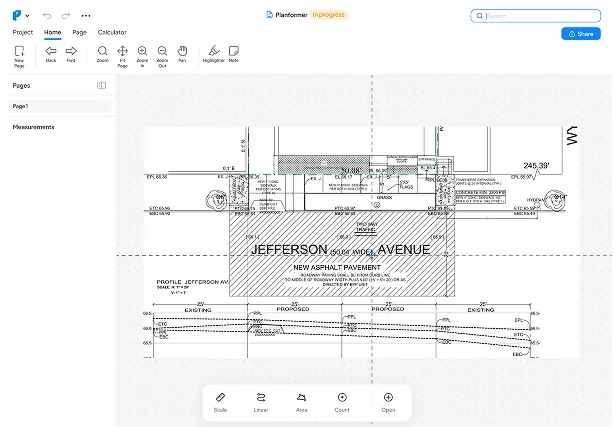
Planformer turns a PDF plan set into quantities, assemblies and a priced estimate — on your phone at the site or your desktop at the office.
- App Store rating
- 4.8★App Store rating
- Less takeoff time
- 90%Less takeoff time
- No signal needed
- OfflineNo signal needed
How It Works
1
Upload Your PDF or Blueprint
Drop in any plan. The system instantly prepares it for takeoff.
2
Drag and Drop Assemblies
Add material and labor assemblies directly onto your takeoff for quick, organized estimating
3
Export and Share
Send everything to Excel or share clean reports with clients and teams.
Try it right here
Take off this plan yourself.
A real takeoff on a sample floor plan — pick a tool, click the plan, and watch the quantities and cost add up. No sign-up.
Demo only — the real app scales any PDF, saves your assemblies and exports to Excel.
Supported Trades
Fast, accurate takeoffs for any trade.

Construction & Contracting
Measure plans, quantify materials, and estimate labor across full project scopes for commercial and residential builds.

Why Contractors and
Estimators Love It

Speed
Cut takeoff time by up to 90 percent.

Precision
Reduce manual errors and repeat work.

Multiplatform
Use the takeoff tools across office and field.

Accessibility
Easy to use even on the first try.

We moved two estimators from spreadsheets to Planformer in one week. Now our quantity takeoffs are consistent and bid prep is noticeably faster across every project.


Ready to take off
faster?
Start your free trial and complete your first takeoff in minutes.